How to import AniList history into LazyWatch
Enter your AniList username in LazyWatch's AniList import to bring across anime progress, statuses and scores. Check familiar titles before relying on the imported list.
By Mohammad Alzeer4 min read

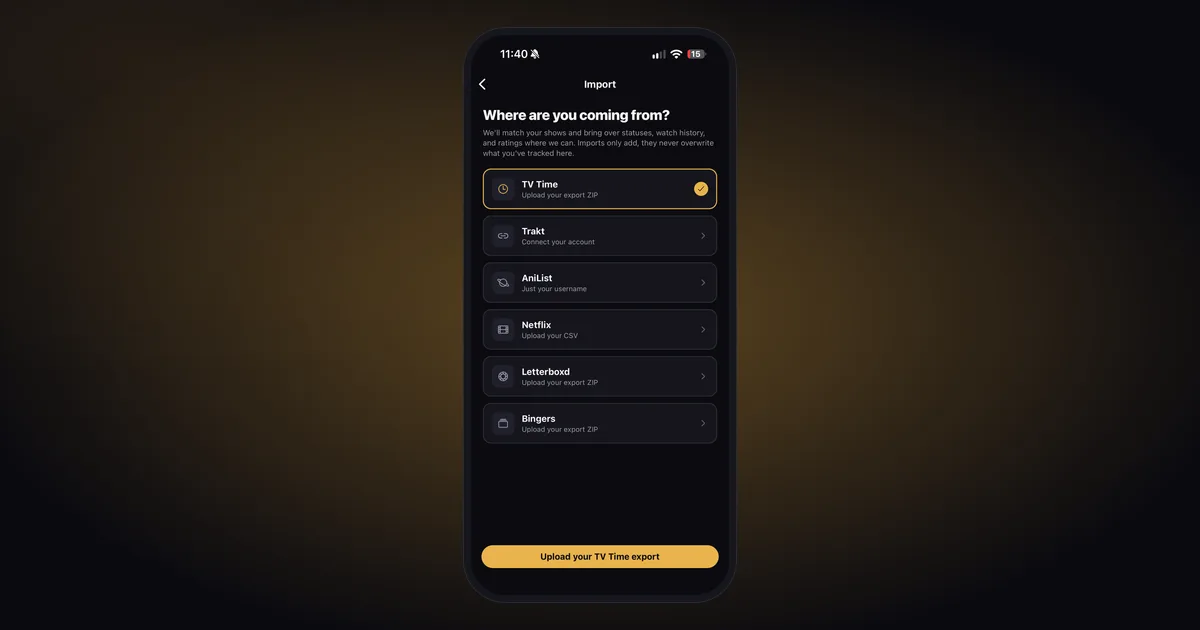
To import AniList history into LazyWatch, choose the AniList import and enter your AniList username. Your anime progress, statuses and scores come across, so you can bring your existing list into the same app as your other shows and movies.
We build LazyWatch. This guide covers what our AniList import brings over, what to check afterward, and why an episode count isn't the same as a dated record of every watch.
We checked the official sources and LazyWatch's shipped-feature roadmap on October 27, 2026.
How do you import your AniList history?
Use your AniList username in LazyWatch's import feature. You don't need to prepare an export file for this route. Before starting, check which AniList account holds your list and which LazyWatch account you want to keep.
- Open the LazyWatch account where you want your anime to land.
- Find the import options and choose AniList.
- Enter the username for your AniList account. Use the account name rather than an anime title or your email address.
- Follow the prompts to start the import.
- Wait for the completion notification, then compare a few familiar titles with your AniList list.
You can keep using LazyWatch while an import runs. Keep your AniList list intact until you've checked the result.
If you're still deciding where to keep your anime, our anime tracker comparison covers the wider decision. This guide focuses on bringing a list you already have into LazyWatch.
What comes across from AniList?
LazyWatch's documented AniList import brings anime progress, statuses and scores. Those are the fields to check first. Don't assume that everything attached to your AniList account transfers because those 3 do.
| Record | What LazyWatch documents | What to check |
|---|---|---|
| Anime progress | Supported | A title you're partway through |
| Statuses | Supported | A completed title and something saved for later |
| Scores | Supported | A title with a score you remember |
| Individual episode watch dates | Not confirmed for this import | Keep your original records if dates matter |
| Manga progress, custom lists and written reviews | Not confirmed for this import | Keep them in AniList unless the import explicitly confirms support |
AniList's list-entry reference treats progress as a count of episodes or chapters. It records a title's score and watching status separately. A progress count alone doesn't tell a new tracker which night you watched each episode.
That's why "I reached episode 8" and "I watched episode 8 last Friday" deserve different checks. Don't fill missing dates with today merely to make a history look complete.
What should you check after the import?
Check a currently watching anime, a completed title and something you haven't started. Then inspect a score you recognize. A few deliberate checks can reveal more than scrolling through a long list of posters.
For a currently watching anime, compare the title and season before comparing the episode count. A sequel, special or similarly named entry can make a familiar number look right in the wrong place. Open the episode list and confirm where you actually stopped.
For a completed title, check that the imported progress matches what you finished. For a planned title, confirm it hasn't become watched. Compare scores with the original list rather than expecting identical numbers across different rating scales.
AniList entries that don't find a match wait in Fix matches. Review those before deciding a title disappeared. If a match still looks wrong, note the original AniList title and what appeared in LazyWatch, then contact us.
For your next watch, our episode tracking guide explains how to keep that progress useful once the move is done.
What if your AniList list doesn't appear?
Check the username first, then whether the list you want to import is publicly accessible. AniList's official authentication guide distinguishes public information from private records, which require authenticated access. A username shouldn't be treated as permission to read private entries.
If you keep your list private, don't change its visibility unless you're comfortable with that information becoming visible. Contact us about the import rather than assuming a username-based route can retrieve every private record.
If the list is accessible but something's missing, separate a matching problem from a missing field. A title in Fix matches needs a title check. A missing written review may be outside the documented scope of this import.
Will importing overwrite your progress or keep both apps synced?
LazyWatch imports only add to what you've already tracked. They don't overwrite your existing records, and you can run an import again to bring across more. That doesn't establish ongoing two-way synchronization between AniList and LazyWatch.
Choose where you'll record your next episode so your routine stays clear. You can keep AniList alongside LazyWatch without expecting every edit in one to update the other.
If your history is split across services, our Trakt import guide covers a separate route. Check each source's supported fields before combining records.
Where do you go after bringing your anime across?
Start with the anime you're watching now. Check your progress, finish the next episode, then open its Comments. LazyWatch gives each episode its own conversation, so your reaction has somewhere more specific to go than a thread about the whole series.
Accurate progress matters when you're catching up. Check the episode number before reading or posting, and tag anything that reaches beyond the discussion.
Your old list gets you to the right episode. The conversation is what comes afterward.
Get LazyWatch and bring the anime you're already invested in.
Sources
- AniList import
- AniList history
- anime tracking
- watch history migration
- anime progress