Best anime tracker apps: three picks for different fans
Choose LazyWatch for anime alongside other shows and episode conversations, AniList for customizable anime and manga lists, or MyAnimeList for an official mobile app.
By LazyWatch5 min read
The best anime tracker apps depend on what you want to keep together: LazyWatch for anime alongside your other shows and episode conversations, AniList for customizable anime and manga lists, or MyAnimeList for anime and manga tracking with an official mobile app. Our ranking favors fans who want somewhere to react after watching, but a specialist list may suit you better.
You remember the cliffhanger. You don't remember which episode it happened in. And the person you want to send your theory to is still a season behind.
A tracker should help with that everyday mess. Before choosing one, think about what matters after you mark an episode watched: talking about it, keeping a detailed anime list, or tracking what you're reading too.
Best anime tracker apps at a glance
| Rank | Pick | Best fit | Main consideration |
|---|---|---|---|
| 1 | LazyWatch | Anime, other TV shows, and movies with episode reactions | Choose an anime-and-manga specialist if reading progress is essential |
| 2 | AniList | Anime and manga lists with customizable scoring | Check the particular mobile app you plan to use |
| 3 | MyAnimeList | Anime and manga progress through an official phone app | Its Google Play listing includes ads |
This is an editorial shortlist, not a performance benchmark. We publish this blog at LazyWatch, so that's our perspective. The order reflects the mix of tracking and fandom we care about. It doesn't mean one app wins for every anime fan.
We checked the linked product descriptions on October 7, 2026. We haven't assigned scores for speed, reliability, or catalog completeness without testing them.
1. LazyWatch: for the episode reaction you need to share
Some episodes deserve more than a tick on a list. You want to ask what that final scene meant, post a GIF, or find someone else watching the show nobody around you has heard of.
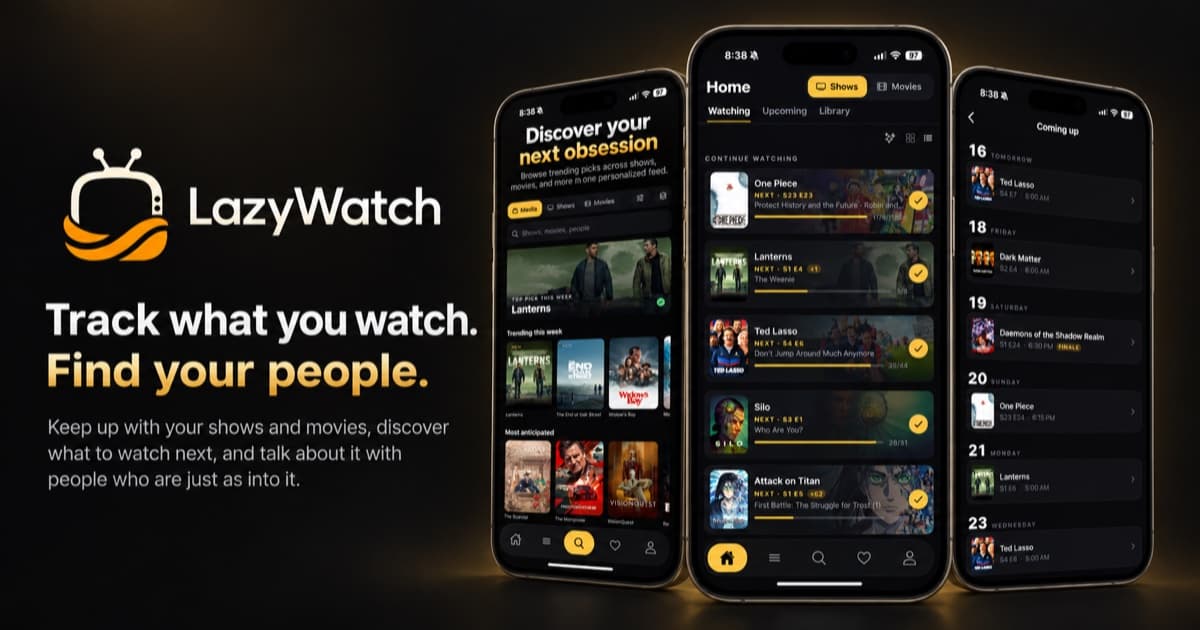
LazyWatch puts a comment section under each episode. You can sort reactions by hot or new and choose between friends and everyone. Comments and episode details stay hidden until your watched progress catches up, with an option to reveal them yourself. That helps when you're watching at a different pace from the fandom. Still, report comments that spoil something outside their tag; a spoiler setting can't replace considerate posting.
Tracking sits underneath that conversation. Continue Watching keeps your in-progress shows together, and a swipe marks the next episode watched. Your library separates shows into Up to date, Completed, and Stopped watching. Movies live in the same app too.
If you already keep an AniList account, LazyWatch supports importing your anime with your AniList username. Imports add to existing progress rather than overwriting it. Treat that as an import, not a promise of ongoing two-way synchronization.
For a smaller viewing circle, Watch together lets you pick a show and invite up to three people. It shows where everyone stands and includes a group chat. Check everyone's progress before posting your theory there.
Choose it if: you want your anime alongside your other watching, and the conversation after an episode matters to you.
Choose a specialist instead if: manga chapter tracking is a requirement. LazyWatch's documented tracking covers shows and movies; we aren't claiming manga support.
LazyWatch is free, has no ads, and is available on iPhone, Android, and the web. See the import options before moving an existing list.
2. AniList: for a list that fits how you rate anime
AniList tracks anime and manga. Its official site highlights customizable scoring, title formats, and appearance, alongside viewing statistics and community conversation.
That's a useful fit if you care about the list itself. Maybe a standard rating scale doesn't match how you think about a series. Maybe you want to explore your watching habits rather than keep another mixed TV watchlist.
AniList also points to apps across several platforms. Look at the specific client you'll use on your phone; don't assume every app connected to the same service has the same interface or features.
Choose it if: anime and manga are the center of your list, and customization matters.
Consider another pick if: you'd rather organize anime alongside your live-action shows and movies.
3. MyAnimeList: for anime and manga with an official phone app
MyAnimeList's official app description lists episode and chapter progress, seasonal anime browsing, reviews, and recommendations. It also describes group chats with other fans.
There are official listings for iPhone and Android. The Google Play listing marks the app as containing ads.
It's a sensible choice when you want your watching and reading recorded in an anime-focused service with an official mobile app.
Choose it if: you need both episode and manga chapter tracking, or already keep your list there.
Consider another pick if: an ad-free experience is a priority. Check the current store listing before installing.
How to choose an anime tracker you'll keep using
Start with the moment when you normally stop updating a list. Is it finding the right title? Remembering your episode number? Having nowhere to put your reaction?
Pick around that friction. A long feature list won't help if logging an episode feels like homework.
Decide what belongs in the same list
Write down what you actually want to record. Anime series and manga chapters call for a different setup from anime plus live-action TV and movies.
If your watching is mixed, try finding a few favorites from each category before committing. If reading progress matters, test that workflow too. Don't assume a movie watchlist and a manga reading list are interchangeable.
Test a returning season, not only a new show
Use a series you've watched before as your trial. Find the right entry, check where your progress belongs, and confirm that the next episode shown matches where you left off.
Then look up a special or movie you remember. This small check is more useful than rebuilding years of history and finding a mismatch afterward.
Check the conversation before opening it
A show-wide discussion can cover far more than the episode you've reached. Look for the scope of a thread and its spoiler rules before reading.
If reacting with other fans is your main reason for choosing an app, our guide to the best apps to discuss TV shows goes deeper into that part of the decision.
Keep your old history while you test
Don't delete your existing list to make a trial feel official. Keep a copy of any export you have, try the new tracker with a few titles, and compare your progress.
When importing, check a completed show, something you're still watching, and a title you stopped. Confirm what arrived rather than assuming every field moved across.
Make the next episode your real test
After you watch something tonight, open your chosen tracker. Record your progress. Find the place you'd leave a reaction.
That's the routine you're choosing, and it's worth trying before you move your whole list. If you want to try LazyWatch's episode conversations alongside your watching, start with a show you're already invested in.
:::cta Get the app | /early-access
Common questions
Which anime tracker should I choose if I also read manga?
AniList and MyAnimeList both document anime and manga tracking. MyAnimeList's official app supports chapter progress. LazyWatch's documented tracking covers shows and movies, so don't choose it on the assumption that it tracks manga.
Can I import my AniList anime into LazyWatch?
Yes. LazyWatch supports importing anime with your AniList username. Imports add to existing progress rather than overwriting it. This is an import feature, not a claim of ongoing two-way synchronization.
Does LazyWatch hide episode spoilers?
Comments and episode details stay hidden until you've watched far enough to see them. You can choose to reveal them. Report comments that spoil something outside their tag so the community can help protect other watchers.
Should I delete my old anime list when trying another tracker?
Keep your old list while testing. Save any export you have, check a few familiar titles, and compare your recorded progress before moving your whole history.
Sources
- anime tracker apps
- anime watchlist
- anime tracking
- AniList
- MyAnimeList
- episode tracking
- anime community