Best apps to discuss TV shows
Our picks are LazyWatch for episode reactions tied to your progress, Serializd for TV reviews, and Reddit for show-specific fandom threads. Choose by how you like to talk about a show, and check spoiler controls before reading.
By LazyWatch5 min read
LazyWatch, Serializd, and Reddit are our picks for the best apps to discuss TV shows: LazyWatch for episode reactions tied to your progress, Serializd for reviews, and Reddit for show-specific fandom threads. The right choice depends on whether you want to react after an episode or spend an evening debating a theory.
You finish an episode. Nobody around you watches the show. You have questions about that final scene, and telling the nearest person won't help.
That's the problem this list is about. Tracking episodes matters here because it gives the conversation a place to happen, at the point you've actually reached.
Best apps to discuss TV shows: our ranked picks
| Rank | App | We'd choose it for | What to check first |
|---|---|---|---|
| 1 | LazyWatch | Episode reactions alongside watched progress | Whether people are talking about your particular show |
| 2 | Serializd | Written reviews of episodes, seasons, and shows | Whether a review covers more than you've watched |
| 3 | A dedicated fandom's posts and discussions | The community's rules and the thread's spoiler boundary |
We're ranking these for conversations about TV, not automatic logging or streaming playback. We're also the people behind LazyWatch. Its episode comments fit this question directly, but another option may suit how you watch and write.
This is a feature-based comparison, checked against official product pages on October 6, 2026. We haven't measured reply rates or tested every app's spoiler handling. No ranking here guarantees an active conversation for every show.
1. LazyWatch: for the reaction you have right after an episode
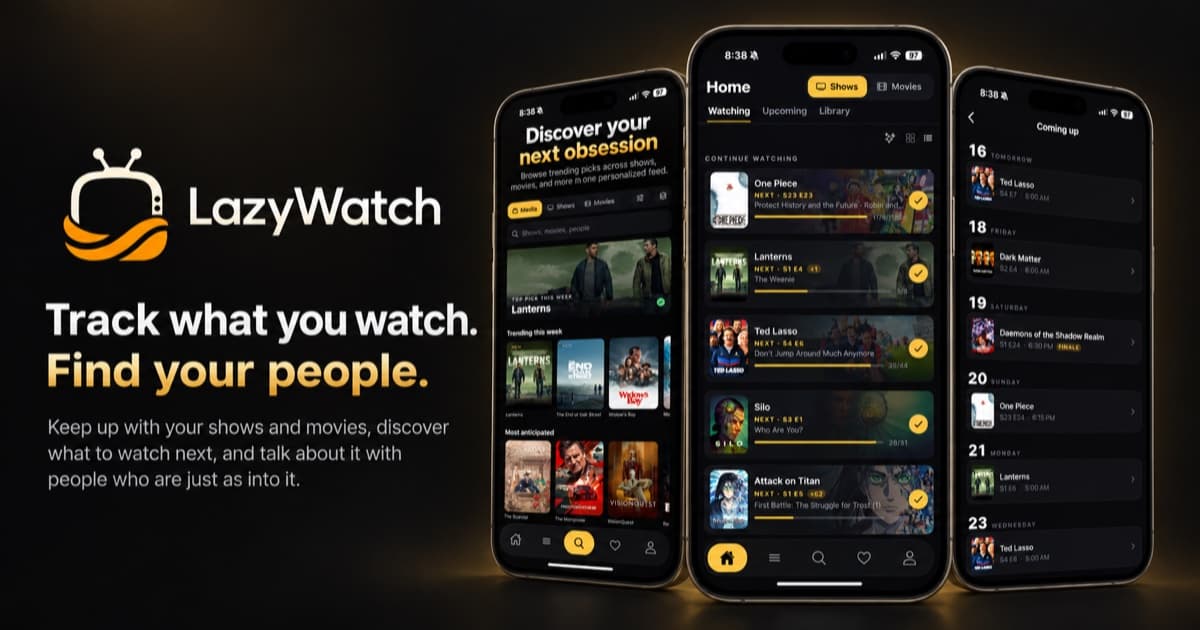
We built LazyWatch around that moment when the credits roll and you need someone else to have seen what you saw. Each episode has a comment section. You can post a reaction or a GIF, and sort by hot or new.
The useful connection is between discussion and progress. Comments and episode details stay hidden until you've watched far enough, with an option to reveal them if you choose. That gives you a reason to keep your watched history accurate beyond remembering the next episode.
You can see how episode comments work before deciding if it's your thing. The app is free, has no ads, and runs on iPhone, Android, and the web.
Choose it if: You want to mark an episode watched and find other fans' reactions in the same place.
Consider another option if: Your priority is a particular fandom that already has its conversations elsewhere. Check your show rather than assuming every title will have a busy comment section. We aren't claiming the biggest community.
2. Serializd: for reviews you want to write and revisit
Serializd combines TV tracking with a diary, ratings, lists, and a community. Its official app description says you can review individual episodes, seasons, and entire series. That range suits people whose thoughts don't fit into a quick reaction.
A review can be about the episode's pacing or the way a season holds together. If that's the conversation you're after, we'd put Serializd ahead of a general chat space.
Its website also describes following other people, seeing what friends are watching, and discussing TV. It's free and available on the web, iOS, and Android.
Choose it if: You like writing reviews and reading other fans' interpretations.
Consider another option if: Your main concern is keeping discussion aligned with your precise episode progress. The official pages we checked don't establish a progress-based spoiler gate equivalent to the one described in LazyWatch's FAQ. That isn't a claim that Serializd has no spoiler tools. Check before opening a season review while you're still halfway through.
3. Reddit: for finding a show's own conversation space
Reddit organizes discussion into communities, including fandoms. For this use, we'd look for a community about the specific show and check whether it has a thread for the episode you've finished.
This is our pick when you want a place to ask a detailed question and follow the replies. Start by reading the community's rules. A thread labeled for one episode and a thread inviting full-season spoilers are different places to have that conversation.
Reddit's official help page says spoiler-tagged posts hide their thumbnails and previews until you reveal them. Treat that as a warning before opening a post. It doesn't establish how far you've watched.
Choose it if: You've found a well-run community discussing your show in the format you enjoy.
Consider another option if: You want discussion organized around your own watched progress. On Reddit, check the scope of each thread yourself. A general browsing session is a poor choice when you're trying to protect a finale.
How to talk about a show without spoiling the next episode
Spoiler controls help, but the conversation still needs a clear boundary.
Before posting, decide what counts as fair game. “Through S2E5” is more useful than “no spoilers.” It tells everyone which events you can discuss. A whole-season review needs a different boundary from an episode reaction.
Keep book knowledge out of TV-only discussion unless the space explicitly permits it. The same goes for trailers and previews. Someone may want to discuss what happened on screen without hearing what the next promotional clip suggests.
Watch your phrasing, too. “You'll understand why that matters later” can change how someone reads a scene without naming the twist. If a person asks a question about an early episode, answer within that episode's limits or leave it unanswered.
If you're catching up, try this routine:
- Finish the episode before opening its discussion.
- Check the episode or season label.
- Read the spoiler rules before following links to wider theories.
- Report misplaced spoilers rather than quoting them in a reply.
No app can promise that every fan will label every comment correctly. Choose controls you understand and a discussion space that respects them.
How to choose a TV discussion app you'll keep using
Try one show you already care about. A feature list won't tell you whether you enjoy the conversation.
Read a few posts after an episode. Would you reply? Do the comments stay within the stated boundary? Can you find the discussion again next week? Those questions matter more than a long list of profile options.
If you enjoy reviewing a full season, start with Serializd. If your fandom already has useful episode threads, Reddit may be the better destination. For reactions attached to the episode you finished, our first pick is LazyWatch.
You can keep different spaces for different purposes. There's no need to move every conversation to one app.
Bring your progress along before you join in
If you've watched years of TV, rebuild or import your history before relying on progress-based spoiler controls. Marking yourself further ahead than you really are defeats the point.
For Netflix exports, our guide to importing Netflix viewing history covers how to bring your viewing record across. If you have no export, Build your history lets you fill in what you've seen with swipes.
Start with your current show. Get your progress right, open the episode you've finished, and leave the take you've been saving for someone who gets it.
:::cta Find your people | /early-access
Common questions
Which app is best for discussing individual TV episodes?
Our first pick is LazyWatch for episode reactions attached to watched progress. Serializd is worth considering for written episode reviews. Reddit may suit you if your show's community has well-labeled episode threads.
Can I discuss TV shows without seeing spoilers?
You can reduce the risk by using progress-based controls or clearly labeled episode threads. LazyWatch hides comments and episode details until you've watched far enough, unless you choose to reveal them. Misplaced spoilers still need reporting.
Is Serializd better for reviews or quick reactions?
We'd choose it for reviews. Its official description supports ratings and reviews of episodes, seasons, and entire shows, alongside a TV diary and community discussions.
Does Reddit's spoiler tag know which episode I've watched?
The official spoiler-tag documentation describes hidden post thumbnails and previews, not a gate tied to your episode progress. Check the thread's episode boundary before opening it.
Sources
- TV show discussion apps
- episode comments
- TV fandom
- spoiler controls
- social TV apps