How to import Netflix viewing history
Download your profile’s viewing history as a CSV from Netflix, then upload it through LazyWatch’s Netflix import. Shows and movies are matched with their original watch dates, and imports add to your existing progress.
By LazyWatch5 min read
Download your Netflix viewing history as a CSV, then upload it through LazyWatch’s Netflix import to bring your shows and movies across with their original watch dates. The import adds to what you’ve already tracked, so you don’t have to start your watching life over.
That’s useful when you remember the finale but can’t remember when you watched it. It also gives you a starting point for finding other fans who are caught up on the same episodes.
This guide covers the export, the import, and the checks worth doing afterward. Netflix’s export instructions were checked on October 5, 2026.
How to import Netflix viewing history
There are two separate jobs: get the file from Netflix, then give it to the tracker. Keep the original download so you have a backup if you need to try again.
1. Download the CSV from Netflix
Netflix’s official viewing-history guide gives these steps:
- Sign in through a web browser and open your Netflix Account page.
- Select Profiles, then choose your profile.
- Open Viewing activity.
- Use Show More if the list looks short.
- Select Download all at the bottom to save the CSV.
Choose the profile you actually watch on. If a household shares one profile, review the record before treating every entry as something you’ve personally seen.
2. Upload it through Netflix import
In LazyWatch, use the Netflix import option and upload the viewing-history CSV you downloaded. The import feature supports shows and movies. Its FAQ confirms that matched titles keep their original watch dates.
This is a file upload. Don’t treat it as an ongoing connection that logs every future Netflix session automatically.
3. Check your progress
After the import, check a show you finished, one you’re halfway through, and a movie you remember watching.
For the unfinished show, compare the tracker with the last episode you know you completed. If you’re unsure, check your own recollection before marking a whole season watched. A tidy record is less useful than an accurate one.
Keep the CSV until you’re comfortable with the result.
What should you expect from the import?
The useful distinction is between a viewing record and everything else you’ve saved about a show.
| Item | What to expect |
|---|---|
| Watched shows and movies | Supported by LazyWatch’s Netflix import |
| Original watch dates | Preserved for matched titles, according to its FAQ |
| Progress already in your account | Imports add to it rather than overwrite it |
| Netflix watch-later list | Not confirmed by the documented Netflix import |
| Netflix ratings | Not confirmed by the documented Netflix import |
| Future Netflix viewing | Requires new tracking or a later file import |
Don’t read a general “imports supported” claim as a promise that every field transfers. Different services supply different records.
For example, LazyWatch’s FAQ confirms watched history, watchlists, and ratings for Trakt. It separately confirms watch-later and stopped-watching lists from TV Time. Those details shouldn’t be carried over to Netflix by assumption.
If you’re comparing places to keep your record, our TV tracker comparison covers different approaches. This guide is about moving the Netflix history you already have.
Check the file before changing it
A CSV is a spreadsheet-friendly file. You don’t need to rewrite it to make it look nicer.
Keep an untouched copy before experimenting. If you want to inspect it, work from a duplicate and look for a few titles you recognize. Avoid replacing the original with a re-saved spreadsheet unless you have a reason.
Use these checks:
- Is this your history? Look for shows you’ve watched recently. If the list belongs to another household profile, go back and select yours.
- Does it include your older watching? Check for a series you finished well before your current binge.
- Does the file still have its CSV extension? Changing a filename to end in .csv doesn’t convert a different file into the required format.
These are review steps, not guarantees that every title will match. If an import fails, note the exact error before trying changes at random.
What if something’s missing?
Start with one concrete example. “This episode didn’t come across” is more useful than “my history looks wrong.”
Compare that example with the downloaded file. If it isn’t there, the tracker has no entry to work from in that upload. If it is there, keep its title and date available when asking for help.
For an import issue, send a description through contact. Don’t post your full viewing history in a public comment section.
For something you watched outside Netflix, add it separately. Your Netflix export is a starting point for a wider watching record, not evidence of everything you’ve ever seen.
No export available? Build your history offers a manual route through remembered shows and movies. Use it for the titles you’re sure about. You don’t have to reconstruct every evening from years ago before starting.
What if your Netflix account is inactive?
Netflix directs people with inactive accounts to request a copy of their information. Its data-request guide says preparation can take up to 30 days after verification.
That’s a different route from the profile CSV download. Don’t assume the full data package can be uploaded unchanged into a tracker.
Keep the record useful after importing
Pick a small habit: mark the episode watched after you finish it, before opening something else.
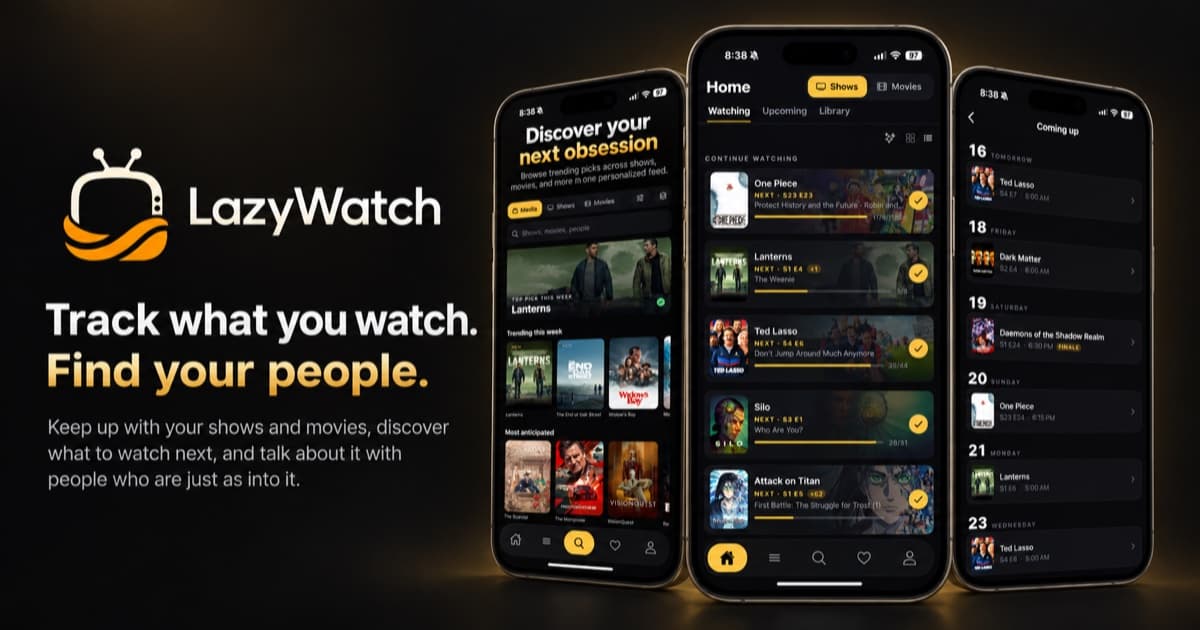
In-progress shows stay in Continue Watching, where a swipe marks the next episode watched. If you forget for a few evenings, update only the episodes you can confirm. Guessing ahead can make it harder to remember your real stopping point.
You can upload a newer Netflix file later to top up your history. Imports remain additive. Keep a dated backup so you know which export you used.
Your history can lead to your people
The record gets you back to the right episode. The conversation gives you a reason to stay.
Episode and movie comments are built around the thing you watched. That gives your reaction somewhere to go when nobody nearby is watching your current obsession. Comments and episode details stay hidden until you’ve watched far enough, with an option to reveal them yourself. That protection still relies on fans tagging and reporting spoilers responsibly.
Import what you’ve watched, check where you stand, then find the conversation for that episode. You don’t need a perfect archive to have a take on the ending.
:::cta Bring your history and find your people | /early-access
Common questions
Can I import Netflix history into LazyWatch?
Yes. Upload your Netflix viewing-history CSV. LazyWatch supports shows and movies and marks matched titles with their original watch dates.
Will importing replace my existing watch history?
No. LazyWatch imports add to your existing records rather than overwrite them. You can import again later to top up your history.
Does a Netflix import keep tracking future viewing automatically?
This is a file upload, not a documented ongoing Netflix connection. Mark new episodes watched in your tracker or download and import a newer file later.
Will my Netflix watch-later list come across?
Don't assume it will. The documented Netflix import covers viewing history. LazyWatch's FAQ specifically confirms watch-later and stopped-watching list imports from TV Time, not Netflix.
Sources
- Netflix viewing history
- Netflix import
- watch history
- episode tracking
- TV and movie tracker