How to import Letterboxd history into LazyWatch
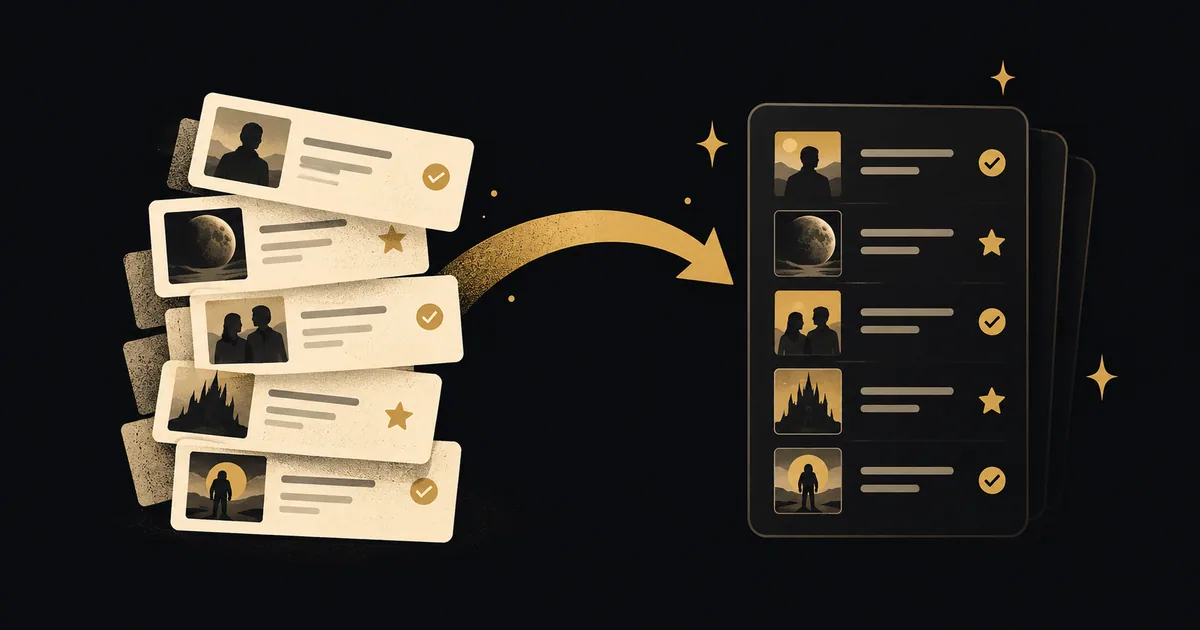
To import Letterboxd history into LazyWatch, download your account export from Letterboxd Settings, then upload it through LazyWatch's Letterboxd import. Watches, ratings and your watchlist come across, with an option to bring reviews as comments.
By LazyWatch5 min read
To import Letterboxd history into LazyWatch, download your account export from Letterboxd Settings, then upload it through LazyWatch's Letterboxd import. Watches, ratings and your watchlist come across, and you can choose whether to bring your reviews as comments.
You don't have to remember every film you've seen before you can start talking about the next one. Bring the records you've already kept, check that they landed where you expect, and keep your original export.
We checked Letterboxd's official export guidance and LazyWatch's shipped-feature roadmap on October 13, 2026. This guide covers the supported transfer, with checks for the details that matter to a movie diary.
How to import Letterboxd history into LazyWatch
Start with the Letterboxd account that holds your film history. If you have more than one account, check the username before exporting.
- Sign in to Letterboxd and open Settings.
- Find its account export option and download your data. Letterboxd's official support guide says the export is a ZIP containing CSV documents.
- Keep an untouched copy of that download.
- Open the LazyWatch account where you want your film history.
- Choose the Letterboxd import and follow its upload prompts. Use the export you downloaded, supplying the file format the current screen requests.
- Decide whether to include your reviews as comments.
- Complete the import and review your watches, ratings and Watchlist.
Keep the whole export bundle. Don't assume a single CSV contains every kind of record you want to move. If your device extracts ZIP files automatically, retain the original download too.
The current LazyWatch reference confirms export-file upload, but doesn't specify a fixed menu sequence or upload extension for every platform. Follow the Letterboxd import screen rather than renaming files to guess what it accepts.
What transfers from Letterboxd?
The Letterboxd import supports these records:
| Your Letterboxd records | What LazyWatch documents | What to check afterward |
|---|---|---|
| Watches | Supported | A few films you've seen |
| Ratings | Supported | Scores you remember giving |
| Watchlist | Supported | Films you still want to watch |
| Reviews | Optional, imported as comments | Whether you chose to include them and where they appear |
That scope matters. An account export can contain more information than another app imports. Don't assume that likes, followers, custom lists or every detail of a diary entry transfers because it's in the ZIP.
For original dates and repeated diary entries, inspect the records that matter to you. The current Letterboxd import description doesn't separately promise how it handles every date or repeated watch. We won't turn “watches supported” into a claim that every field transfers unchanged.
You can compare the broader options in our movie diary app guide. If dated film writing is your main reason for keeping a diary, check those details before changing your daily logging habit.
A watched film isn't always a dated diary entry
Letterboxd distinguishes marking a film watched from logging it. Marking watched records that you've seen it at some point. Logging adds a particular viewing date to your Diary, according to its official explanation.
That can explain an apparent gap before you blame an import. A film may be in your watched collection without a dated diary entry to transfer.
For a useful check, choose a film you logged on a date you remember. Compare that entry with a film you marked watched without logging. Look at both in your source account and after the transfer.
Don't add guessed dates to make the new diary look complete. “I've seen this” is still a useful record when you can't remember the night.
Should you bring your reviews as comments?
If you've written about a film already, you may want that take alongside its conversation in LazyWatch. The Letterboxd import lets you include reviews as comments. It's optional.
Read a few of your older reviews before choosing. Some might be a reaction you still stand by. Others might have spoilers or wording you'd rather keep in your archive.
After importing, inspect a review you recognize. Check the text and its spoiler treatment before sharing it with anyone. An imported review becomes a comment; don't assume it reproduces the original Letterboxd page, presentation or discussion thread.
LazyWatch has Comments on movie pages, so you can keep talking about a film after logging it. The point isn't to move words for the sake of it. It's to bring the takes you want to keep using.
Check the transfer before calling it finished
Start with a small sample that can reveal different problems.
A watched film and a rating
Find a film you know you've seen, then one whose score you remember. Confirm that both records appear as expected. If a title looks wrong, compare the year as well as the name, especially for remakes.
A film saved for later
Choose something still on your Letterboxd watchlist. Check that it lands in your movie Watchlist rather than your watched diary. A list of films to see shouldn't become a list of films you've finished.
Once it arrives, our movie watchlist organization guide can help you turn years of saved films into a shortlist for your next night in.
A review, if you included them
Open a movie with an imported review and check the comment. If anything is missing or matched incorrectly, note the film title, year and type of record before contacting support. Share the minimum information needed to explain the problem rather than posting your entire export publicly.
Keep your Letterboxd records while you resolve discrepancies. A successful upload is the start of checking the move, not a reason to delete your source account.
What happens to history you've already tracked?
LazyWatch imports add to what you've already tracked rather than overwrite it. You can bring older records into an account you've started using.
An import doesn't establish continuous two-way sync. Decide where you'll log future watches, and don't expect a new Letterboxd entry to appear automatically in LazyWatch.
If some of your history lives elsewhere, use the separate guides for Netflix viewing history and Trakt history. Each source has its own transfer route and supported records.
Start with your movie history, then pick a film you still have something to say about. Someone else may have been waiting for that conversation too.
:::cta Bring your history and find your people | /early-access
Common questions
What can I import from Letterboxd into LazyWatch?
The documented Letterboxd import supports watches, ratings and your watchlist. You can optionally import your reviews as comments. Don't assume your follows, likes or custom lists transfer too.
Where do I download my Letterboxd export?
Sign in to Letterboxd and open Settings. Its account export bundles your account data into a ZIP file containing CSV documents. Keep a copy before you upload your export to LazyWatch.
Will the import overwrite my existing LazyWatch history?
No. LazyWatch imports add to what you've already tracked rather than overwrite it. That doesn't establish automatic two-way sync with Letterboxd.
Do I have to import my Letterboxd reviews?
No. Importing reviews as comments is optional. Decide whether you want your old writing to join the conversations in LazyWatch before choosing that option.
Sources
- Letterboxd import
- Letterboxd export
- movie watch history
- watch history migration
- movie watchlist
- movie tracking