How to import Bingers history into LazyWatch
Export your Bingers data as a ZIP, then upload it through LazyWatch's Bingers import. Bring shows, movies, episode dates, ratings, rewatches and lists with you.
By Mohammad Alzeer4 min read
To import your Bingers history into LazyWatch, save the ZIP from Bingers' Export my data option in Settings, then upload that file through LazyWatch's Bingers import. It brings across shows, movies, episode dates, ratings, reactions, favorite characters, rewatches and lists.
We build LazyWatch, and this guide covers moving your record into our app. You don't need to mark years of episodes again before you can join the conversation.
We checked the official sources on November 3, 2026.
How do you export your Bingers history?
Open Settings in Bingers and choose Export my data, then save the ZIP somewhere you can find it again. Bingers' official App Store release notes describe this export as a ZIP of CSV files. Keep the original ZIP for the import.
Before you leave Bingers, note the last episode you watched in a few current shows. Pick a dated movie watch and a rewatch you remember too. Those examples give you something concrete to check once the move finishes.
Save a second copy of the export somewhere you control. A migration is a good moment to keep a backup, especially if your library stretches back years. Bingers also confirms your right to export your information in its privacy policy.
How do you import the Bingers ZIP into LazyWatch?
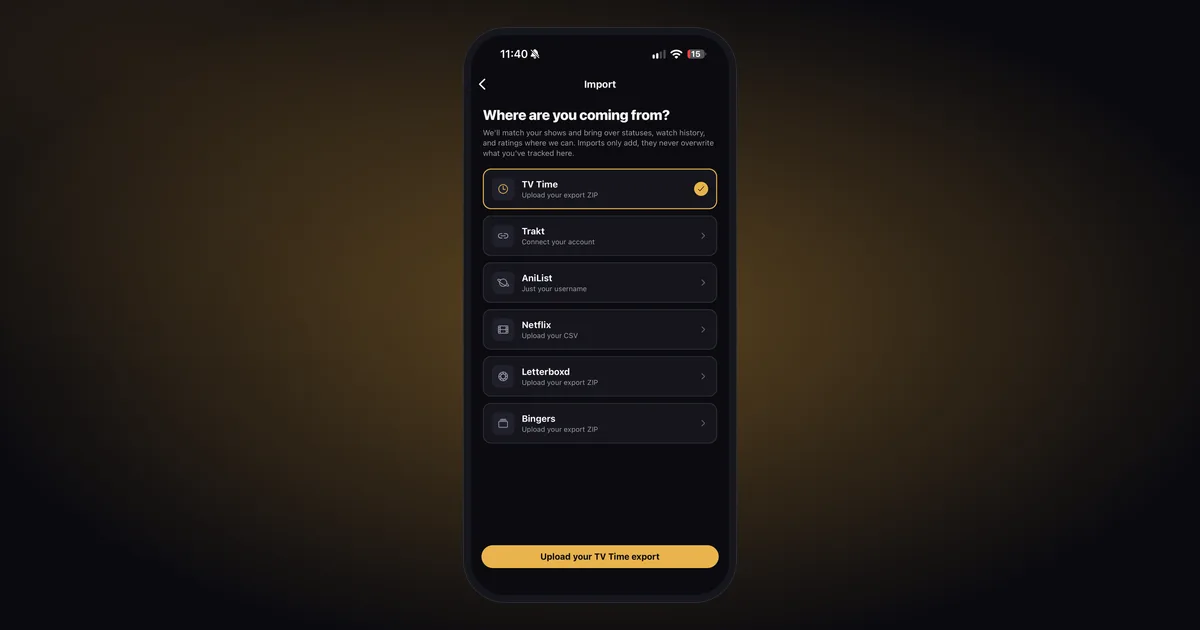
Open LazyWatch's import options, choose Bingers and select the export ZIP you saved. Upload the archive rather than an individual CSV from inside it. You can keep using LazyWatch while the import runs, and a notification tells you when it's finished.
The supported import sources include Bingers directly. You don't need to convert the file into a Trakt or TV Time export first.
Use the LazyWatch account you want to keep watching with. If you've already tracked a few shows there, leave them in place: imports add to your library without overwriting what you've tracked.
What comes across from Bingers?
LazyWatch's Bingers import supports shows, movies, episode dates, ratings, reactions, favorite characters, rewatches and lists. That gives you more to check than a total episode count. The old date on a watch, or the second pass through a favorite show, may matter more than the headline number.
| Record | What to check after the import |
|---|---|
| Shows and movies | Search for familiar titles in your library |
| Episode dates | Compare a watch date you remember |
| Ratings and reactions | Open something you know you scored or reacted to |
| Favorite characters | Check a familiar character choice |
| Rewatches | Look for a title you've watched more than once |
| Lists | Check titles in a list you used regularly |
Only expect records that exist in your export. This supported list doesn't promise that every Bingers account detail will transfer. Comments aren't included in the documented Bingers import list, so don't count on your old discussions coming across.
If repeated watches are the part you care about most, our guide to tracking TV show rewatches explains how to keep the original watch and a later pass distinct.
What should you do if a title doesn't match?
Open Fix matches to review anything the import couldn't match. Use the original export and your Bingers library as references when checking a title. Don't fill in uncertain progress from memory merely to make the totals line up.
Start with the current shows you noted before exporting. Check the last watched episode, then inspect the dated movie and rewatch you picked. Broad totals can help you spot a problem, but they aren't a substitute for checking the records themselves.
If you need help, contact us with the source and the title that looks wrong. Describe the mismatch before sending any private export files.
Can you import again without losing existing progress?
Yes. LazyWatch imports only add, so you can run one again to bring over newer records without overwriting what you've already tracked. You can also undo an import, which removes only what that import brought in. Keep your original ZIP while you check the result.
An import is a transfer of the saved file. It doesn't mean future Bingers activity automatically appears in LazyWatch. If you keep watching in both apps, make a fresh export when you want to bring over later activity.
For history stored elsewhere, use the source's own guide: Trakt history imports work through a short code or an export, while Letterboxd imports use its account export. Don't rename one tracker’s archive to pretend it's another format.
What do you do after your history arrives?
Check your current shows first, then carry on from the episode you've actually reached. Once that record looks right, there's somewhere to put your next take: LazyWatch has separate Comments on episodes and movies, so you can talk about the thing you finished.
You don't have to rate your entire past before saying what you thought of last night's episode.
Get LazyWatch, bring your Bingers ZIP, and find the conversation for what you're watching now.
Sources
- Bingers import
- Bingers export
- watch history migration
- episode tracking
- movie tracking