Best apps to pick a movie with friends
Our picks are LazyWatch for group swiping and fan conversations, Matinee for a browser session without an account, Filmatch for couples, and MatchFlicks for shared watchlists.
By LazyWatch6 min read
The best apps to pick a movie with friends depend on how you want to agree: LazyWatch for group swiping and fan conversations, Matinee for a browser session without an account, Filmatch for couples, and MatchFlicks for shared watchlists.
You probably don't need another list of films someone else likes. You need a way to find the one your group would actually watch tonight.
We're the friends building LazyWatch, so this is our editorial ranking, with our own app included. We compared the official product descriptions on October 4, 2026. We haven't tested every app side by side, and the order reflects our preference for a shared choice with somewhere to talk afterward. A one-off movie night might call for a different first pick.
Best apps to pick a movie with friends: the shortlist
| Rank | App or tool | We'd choose it for | How the choice works |
|---|---|---|---|
| 1 | LazyWatch | A regular crew that wants movie picks and fan conversations | The first title everyone says yes to wins |
| 2 | Matinee Movie Night | A browser session without account setup | A finished deck produces a result based on group agreement |
| 3 | Filmatch | Couples building a pool of films together | Mutual likes produce matches; Party Mode covers groups |
| 4 | MatchFlicks | Saving the group's matches for later | Everyone's like sends a title to a shared watchlist |
The difference worth noticing is the finish line. Do you want one unanimous pick now, a compromise after everyone finishes, or a list you can return to next weekend?
1. LazyWatch: for choosing together and talking afterward
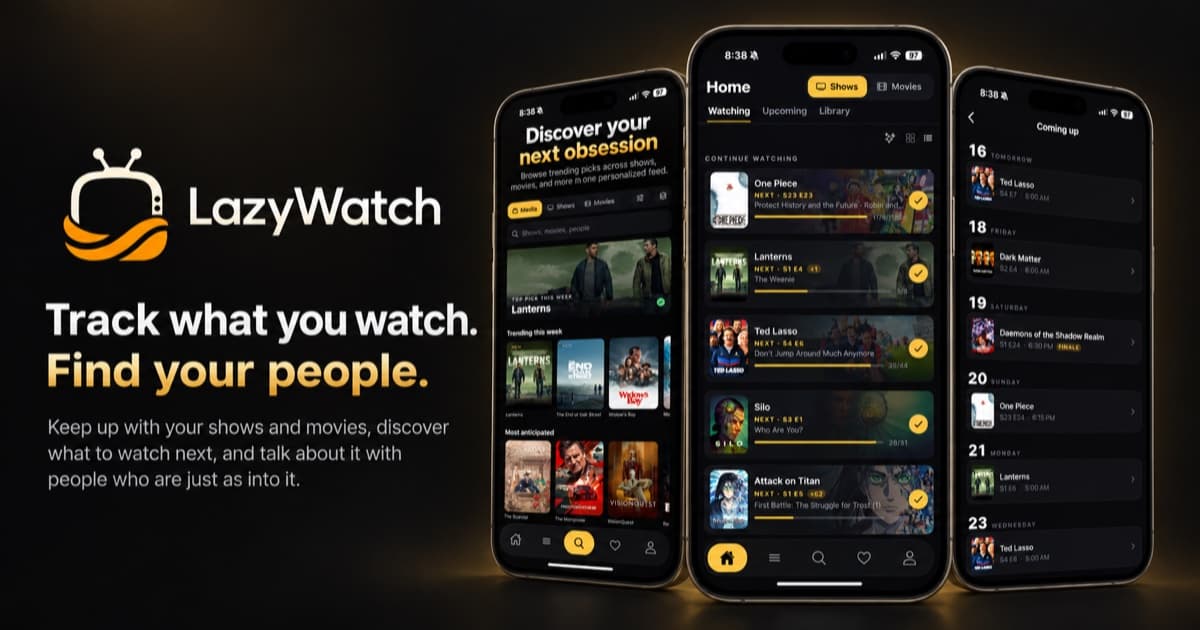
We put our app first for people who want movie night to carry on past the credits. In Swipes, you start a movie night or a binge night and share a five-letter code. Everyone works through their own deck at their own pace. The first title everyone says yes to is the one you watch.
You can keep the picks to things nobody's seen, or include rewatches. That's useful when half the room wants something new and someone would happily watch a favorite again. Agree on that before the swiping starts.
Movies have their own comment sections, where you can post reactions and GIFs and sort by hot or new. That's the part we care about: finding other people with a take on the ending, including fans beyond tonight's group. Comments can be shown for friends or everyone.
If the night turns into choosing a series, a show match can lead into Watch together. It tracks episode progress and includes a group chat, with invitations for up to three people. That feature is for following a show together, even when you're watching at different speeds.
LazyWatch is free, without ads, and available on iPhone, Android, and the web. Choose it if you want picking, tracking, and fan conversations in the same app. If you only want a browser room without creating an account, the next option fits that job better.
2. Matinee Movie Night: for a browser room without signup
Matinee Movie Night is a free web tool. One person creates a room, then shares a link or six-character code. Its official page says up to ten people can join from a phone or laptop without an account.
The group swipes through the same deck of movies, TV shows, or a mix. Once everyone finishes, the tool chooses a result based on group agreement. Its result labels include Perfect Match and Smart Compromise, so don't assume every result means a unanimous yes.
We'd put this first for a one-off gathering where asking everyone to set up an account would interrupt the night. It's also worth considering if your group is comfortable with a compromise instead of waiting for complete agreement.
Rooms expire after twenty-four hours. Think of the web tool as tonight's decision room rather than the place to keep a lasting shared list.
3. Filmatch: for couples who keep finding films separately
Filmatch centers its pitch on finding films you and your partner both want to watch. You create an account, connect with a code, and swipe whenever you like. A film becomes a match when both of you like it.
Its official site also describes Party Mode for groups. Filters cover streaming services, genre, year, rating, and runtime. That makes it worth a look if your usual disagreement starts with “we haven't got time for a film that long.”
Filmatch lists App Store and Google Play downloads. It also describes a watchlist for saved films, matches, and watched titles.
We'd shortlist it for a couple who wants to build options throughout the week rather than start from nothing on Friday. Its public pitch focuses on films, so check its fit before choosing it for a shared TV-binge routine.
4. MatchFlicks: for a shared list of unanimous matches
MatchFlicks covers movies and shows. You create a group, share an invite code, and everyone swipes at their own pace.
When everyone likes the same title, it becomes a match and goes onto the group's shared watchlist. The site describes regional streaming-provider information alongside those matches. Personal likes also go into your own watchlist, where you can mark titles watched.
The official page lists iPhone and Android downloads.
We'd choose it when the goal is to collect several agreed options, then decide which one suits the night. Before committing, try a session with your own group and see whether its shared-watchlist routine fits how you make plans.
How do you choose a movie when nobody agrees?
Before opening a deck, decide what a yes actually means. “Looks interesting someday” and “I'd watch this tonight” produce very different matches.
Try this routine:
- Set the limits out loud. Agree on the time available and any hard exclusions. Nobody should have to defend skipping horror.
- Decide whether rewatches count. A familiar favorite can save the night, but only if everyone wants that option.
- Pick a matching rule. Unanimous agreement gives everyone a veto. A compromise result needs the group's consent before you start.
- Swipe for tonight. Save ambitious, three-hour maybes for another evening.
- Check the winning title before settling in. Confirm it's available through a service you can access in your country.
If you finish without a match, change one constraint together. Try another genre or allow rewatches. Don't turn someone's no into a debate until they give in.
What should you check before inviting the whole group?
Start with two people and run a short session. Check how the second person joins, whether you can both find the same title, and where the result ends up.
Then consider the next night. Do you want the room to disappear? Should matches stay in a shared list? Would you use the app to record what you watched or talk about it afterward?
Those questions matter more than a long feature checklist. A tool that suits a spontaneous gathering may feel different when you're choosing with the same people every week.
If you also want to move your existing episode history, our TV tracker comparison covers that separate decision. Picking tonight's film and replacing years of watch tracking aren't the same job.
Which movie picker would we start with?
For a regular group that wants to choose a film and swap reactions afterward, we'd start with LazyWatch. For an account-free browser session, try Matinee Movie Night. Filmatch suits a couple building film matches over time, while MatchFlicks suits a group that wants agreed titles saved to a shared list.
Bring a few people, agree on what counts as a yes, and give one session a go. Once you've found your film, the ending is fair game for discussion.
:::cta Get the app | /early-access
Common questions
Is there a free app to pick a movie with friends?
LazyWatch is free and has no ads. Its Swipes feature lets a group choose a movie by finding the first title everyone says yes to. Matinee Movie Night also offers a free browser-based group picker.
Can we pick a movie together without creating accounts?
Matinee Movie Night says its browser tool needs no account. One person creates a room and shares a link or code so the others can join.
Does a movie match mean everyone voted yes?
That depends on the tool. LazyWatch Swipes and MatchFlicks describe unanimous matches. Matinee also offers results based on broader group agreement, including compromise labels.
Does LazyWatch Watch together synchronize movie playback?
LazyWatch's documented Watch together feature tracks a show's episode progress and includes a group chat. It's for following a series together, rather than synchronizing video playback.
Sources
- movie picker apps
- movie night
- group swiping
- watch with friends
- movie watchlists